Rust 개발환경 다운로드
Rust 툴체인 (rustup) 설치
사전 요구사항 (C++ Build Tools)
Windows에서 Rust를 컴파일하려면 MSVC(Microsoft Visual C++) 빌드 도구가 필요합니다. Rustup 설치 과정에서 자동으로 안내해 주지만, 미리 Visual Studio Build Tools를 설치해 두시면 더 원활합니다. ("C++을 사용한 데스크톱 개발" 워크로드 선택)
rustup-init.exe 다운로드
https://static.rust-lang.org/rustup/dist/x86_64-pc-windows-msvc/rustup-init.exe
위 링크를 클릭하여 rustup-init.exe 파일을 다운로드하고 실행하세요.
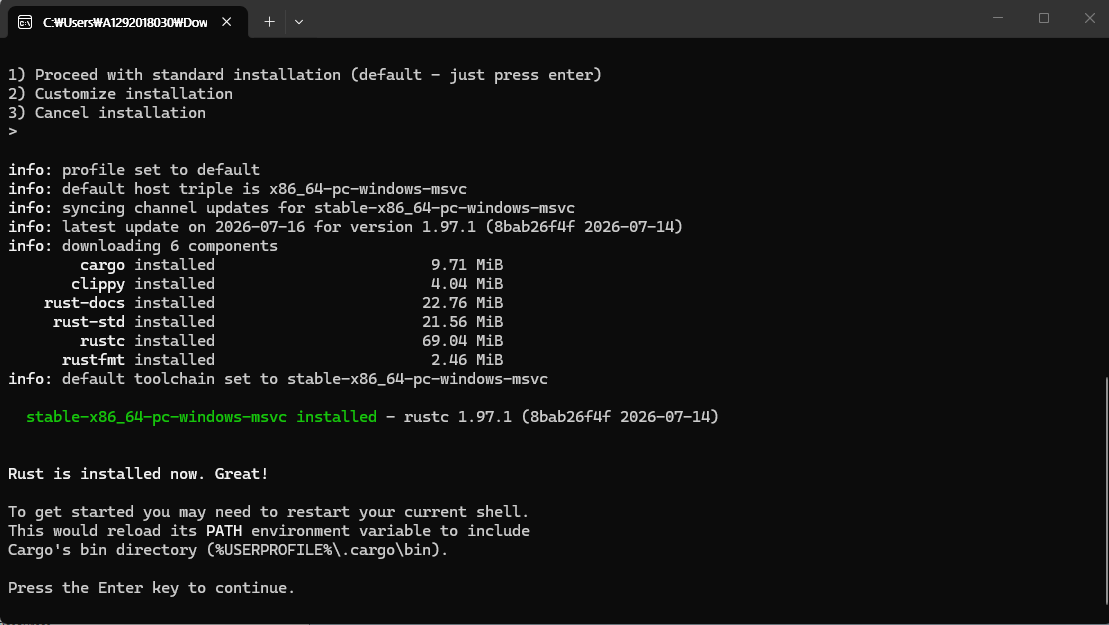
설치확인
설치가 완료되었다면, 터미널을 재시작한 후 아래 명령어로 버전을 확인합니다.
// 버전확인
rustc --version

// 카코버전 확인
cargo --version
IDE (에디터) 세팅
Visual Studio Code 추천
대부분의 Rust 개발자가 사용하는 표준 조합입니다.
첫 프로젝트 생성 (Cargo)
$ cargo new hello_rust
Created binary (application) `hello_rust` package

$ cd hello_rust

$ cargo run
Compiling hello_rust v0.1.0
Finished `dev` profile [unoptimized + debuginfo] target(s)
Running `target/debug/hello_rust`
Hello, world!
'Programming > Rust' 카테고리의 다른 글
| Rust 언어 기초 문법 완벽 정리 #2 (0) | 2026.08.06 |
|---|---|
| Rust 언어 기초 문법 완벽 정리 #1 (0) | 2026.08.05 |